Showing posts with label Windows. Show all posts

Friday, April 28, 2017

Screen Fatigue and E-Book Sales

“For consumers travelling or on holiday having an additional ereader device to look after is awkward...”
https://www.theguardian.com/books/2017/apr/27/screen-fatigue-sees-uk-ebook-sales-plunge-17-as-readers-return-to-print

Have we reached a point of device fatigue? I have seen a lot of reviews of the following device saying people are using it to replace their laptops, tablets, and e-readers with an all-in-one, like the Samsung Chromebook Plus:
This is also my current dream machine and I have this hope it replaces a Kindle Fire, e-reader, Windows machine, and Mac laptop. I would love to get down to two devices, phone plus laptop/tablet thingy. People say they are ditching every device and just sticking to a phone and a couple paperbacks - and I do not blame them. I tried the Windows Surface 3 thing, and while I do not doubt some do well with this, it has proven to be one of my nightmare devices:
Desktop dialog boxes sit behind the tablet mode interface, waiting for a reply and staying hidden forever. The keyboard and trackpad sometimes are not recognized. The machine asks me if I want to switch modes even though I have not disconnected the keyboard. Wireless problems requiring reinstalls of drivers and resets of the router. The keyboard itself feeling like typing on a sheet of cardboard. The inability to balance this on your lap or one leg. The SD card never staying mounted and having to always reinsert it to have the device pick it up. The slow SSD takes forever to run an update, and the list goes on and on. It feels like less of a tablet and more of a budget laptop with an optional keyboard accessory.

And they says 99-cent paperbacks are making a comeback, and I don't blame them. I still reach for physical books on a regular basis. I can take them anywhere and I don't have to worry about power, and they aren't really painful if they are lost or stolen. I can lend them to others. There is that tactful turning the page feeling that I grew up with, and I love the sensations - the smell of the ink, the feel of the paper, the sensation of weight, the bend of the spine, and the sound of turning a page.

I like e-readers and I like e-books. I like tablets. There is a huge convenience factor with e-books. A world of reading opens up to me, and I can sample so many new and varied writers it blows my mind. I can keep a library on my phone and I always have a library in my pocket.

But, I have device fatigue. My phone chirps at me for attention. My e-reader and tablet need charging and they are dependent on wall sockets like a junkie to a fix. Windows is a constant attention hog and I have to pretend I am a network security engineer to keep the thing safe while I am online, and stay abreast of security updates, hacks, and all sorts of intrusion news. My Mac is a little better, but it is an expensive beast that I worry about whenever it goes on the road with me.

And then I found this device a while back, a Samsung Chromebook 2:
Love at first sight. A replacement for my old EeePC in a 11" format, light, secure, cheap, and fast. Power that lasts nearly all day. The screen sucks but everything else is wonderful. A compact but nice keyboard and a trackpad that rivals my Mac. Built-in guest user access that I have no worries about. Strong and secure multi-user support. Cloud backup. Offline support and syncing when I get back online. No "admin" accounts. No drivers. No hassle.

Yes, there is that whole "Google sees what you do thing" and that bothers me a little. But what I do on this I do not worry, so I don't have an issue with that fact.

This goes everywhere I do. I did 20,000 words of Bolwarama out of 50K total on this while on vacation. No qualms about hotel WiFi, given my standard security practices with that type of access, and it does what I need it to do.

Browse the web and write books.

I still love this little laptop. There are some devices that when the discussion of "device fatigue" comes up I can put them in that category. I still love them and appreciate having them around, but, you know? You know that feeling that it is like "love but if...?" And then there are some devices when the subject of "device fatigue" comes up I will defend to the death. No freaking way I could live without that device. I would rather go without my iPhone than this laptop. Even though the screen sucks. Even though I need to lug around an extra charger. Even though it does not play Windows games. Even though it is an extra laptop, needs to be looked after, and secured when I leave the hotel room.

By all means I shouldn't be this much of a zealot, but I am just because the machine has never failed me or caused me heartache. It performs. I have less expectations for this than I do Windows or Mac, but what it does it does incredibly well. It is low distraction by design.

But my other devices? I could live without them if all I had was this. In fact, if I didn't have all these devices lying around I think I would get more out of one of them than I would a little out of five of them, each one begging for attention, each one requiring a slightly different skill set to use. I can see the point of the article above, people are tired of loading up on devices and switching between them. E-book sales are down because there is nothing really new in the world of e-readers, and like they suspect, that old-fashioned books have an inherent convenience factor and appeal to them.

And I feel that device fatigue. Most of my devices have not improved my life or made it any easier.

But one has.

In this world of insecure computing and constant worry, one device has won my loyalty and respect.

And now a new device, similar to the current champion, calls with its siren's song to me.

I can replace the rest of them.

This and a couple paperback books shoved in a travel bag? My phone in my purse?

I think I could live that life rather well.

Sunday, April 9, 2017

Website Fixes, Time, and Blog Status

The remaining books in E-Read's queue will get reviewed - even if I have to put the reviews up on the store pages, they will get reviewed.

In the meantime, I am still working on getting the site back up. At this point I have no idea what happened, something went awry, and when I bring the site up it is a blank page. Most likely a theme isn't playing well with one of the updates or something like that. Fixing the site will be a longer term thing I feel, but this also highlights being able to support something like this when it goes up and when things naturally go wrong.

It is not unlike Windows or the Mac and knowing that - when you have a computer, things go wrong, and you need to develop skills in fixing things. Personally, with all the data collection going on as a part of Windows these days, my opinion of the platform is not so good. They think they have a right to pry in on my life, when they do not, and my choice is to walk away. I know this is the same thing that goes on with Chromebooks, so I am a little less enthused about them - but I do appreciate the security there so I still have one for the things I wish to share.

If I want privacy it's my Mac or one of my old computers and Ubuntu. The respect I give to your platform is the respect you give my privacy.

But work continues, and I am facing the real possibility that E-Read may not be recoverable. I have the data, but it is a challenge figuring out what went wrong and how to get things back the way they were. Wordpess, for me, is a challenge. I get this feeling if I can't figure this out I am in over my head and can't support the platform. If I can't do that, then I am done with Wordpress.

I am also facing the fact that the market has changed since I started four years ago. There is a lot to think about. I get this feeling indie review sites are really not as important, and social media channels have taken over the book-selling buzz. When I stated back then, the joke was blogs were a relic and it was all going to video. Today, the video bandwagon is showing signs of faltering (with the breakdown of ad-supported revenue) and we are likely on to something else. We are in this strange payment-processor, bank, and advertisement war for control of content - and entertainment for mature minds is getting crapped on by every side.

The byproduct of keeping the minds of adults in adolescence forever, I know. Everything is family-friendly. Comic books are 'for adults' but never show anything 'for adults.' Every conflict is solved with extreme violence and a hefty dose of computer-generated imagery. Nobody talks anymore. Nobody loves anymore. There is no subtle. There is no shame. There is no sense of right and wrong. There is no respect.

No wonder the world is the way it is. War is just a video-game we play, right? When is the next one coming out?

Right now, for my life, just updating this personal blog is enough.

Work continues.

Monday, October 26, 2015

Tablet Mode Windows 10?

Tablet mode kinda sucks in Windows 10.

Seriously, I am finding any touch-based Surface 3 easier to use in desktop mode, even with my fingers.

Some of the apps I use rapidly switch between start menu and app, start menu and app in tablet mode, driving me crazy. Out of tablet mode? They work normally. I get this feeling app developers don't really test with tablet mode at all, and it is rapidly being forgotten.

I am still forced to hunt for tiny spots on the screen with my finger in either mode, so there is no real advantage to tablet mode other than a "hide my desktop" mode that doesn't work well with all apps anyways. Turning off tablet mode has actually made me feel more productive with this device than I have been in weeks. Things work like my desktop. When I get frustrated, I switch to the trackpad and that keyboard might as well be permanently attached.

I still like the ability to run Windows apps, don't get me wrong. It is just I have kinda given up on that dream that any of them will work well with a Windows tablet. For entertainment stuff like movies or books, okay, yes, the touch features work. The tablet is still too bluky and heavy to use without the kickstand for extended viewing or reading, and I find myself wanting a lighter weight solution for a pick-up and read or browse device. You know, you need to look up a recipe, so you pick up something light and instant-on and punch it in? Besides my phone I have lost that capability around the house and I am feeling the burn.

As it is with this device, I have mine wrapped up in a nice leather case and it is basically serving as a heavier-class netbook. And for instant-on Internet searches, I am using my Chromebook, which hurts because I really want a tablet for this.

But I am finding turning off tablet mode has made me a lot happier with Windows 10, and that is kind of a sad thing as I liked Windows 8 on a tablet very much.

Wednesday, July 29, 2015

Surface 3 and Windows 10

I hope Windows 10 and this awful shade of lime green grow on me.

First off, I want my horizontal scrolling back. In tablet mode, I know the few of us that have windows tablets, I liked side-to-side scrolling. When you think of it, side-to-side scrolling on a widescreen device makes sense, since you are using the full width of the screen for selection. Making the live tiles in tablet mode go up and down is just lame.

The groups are too narrow, I need an extra medium tile in each one to fill this incredibly wide gutter space between them. Now that tiles are the start menu, I feel that we are stuck with narrow tile groups forever. Also, there is now less information on my screen in tablet mode because of the supersized gutters. Why have live tiles?

I liked the multi-colored tiles too. Back in Windows 8, I would have love to been able to pick colors rather than have them assigned to me at random, but I made due and I had a bunch of fun colors arranged for apps how I liked. Now, all of my apps are the same damn color of lime green.

Later on, I discovered you could change the tile back color in Personalization. They auto-set the color based on the background, and it came out the worst shade of lime green that ever graced a computer screen. I still want to be able to customize them individually.

Do you know how long I took getting my tiles back the way I wanted them? Seriously. And all my file links for PDFs and web pages were turned into store icons. It's like paying someone to come in and mess up your house.

Why did you take away the desktop app in tablet mode? I liked being able to work in desktop mode, switch out to the Windows 8 UI and do some things, and then do back to my desktop and work there. Now, I have a layer of live tiles between me and my desktop all the time in tablet mode.

The bottom-left corner is too cluttered! From the bottom going up I have Windows button, all apps, and then power. It is too easy to press the wrong one. Left swipe in tablet mode is a task manager with preview windows, and not a swipe-between-open-apps. I was used to the old way. There's another triple-line thing in the top left that looks and feels like the same as "all apps". Strange. One way to select and launch apps, please.

I will get used to it, but I dislike change. Windows 8 made sense on a tablet, and I am sad to see it go in that context. Now, it seems the desktop world has taken over, and made Windows tablet use more uncomfortable, at least for me. My strong recommend? Ugh, let's drop that to a normal recommend. The ease-of-use for Windows 10 tablets has suffered, at least for me.

Stop laughing, desktop users. Today is a good day for you.

My first thought was, wow, even the Kindle Fire UI is a lot easier to use and more straightforward. Yes, I need this to act like a PC at times, but no, I don't want desktop stuff forced on me. Not on a tablet. This feels complicated-y and confused-y. In the world of Android, Amazon, and Apple tablets, they are designed for touch, with PC-like devices and add-ons supported. This feels like a desktop OS forced into a tablet mode, like the old Win7 and XP for tablet operating systems.

Maybe I will get used to it.

But really, that's never a good thing to hear.

Or maybe...tablets will never be great productivity devices, and be for entertainment only. Are there too many hacks and tradeoffs to get a tablet to work like a PC? I am slightly depressed at all this, but give me time, I will figure it all out.

Windows 10? Strong recommend for desktop users, and an initial-impression soft recommend for tablet users.

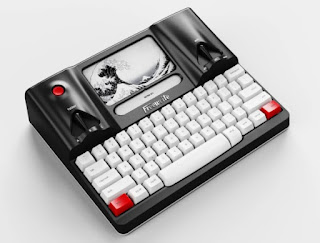
Freewrite Smart Typewriter

https://getfreewrite.com/products/freewrite-smart-typewriter-3rd-gen Well, thanks to this device, my five-year bout of writer's block is...